Bambu Status Widget

Your 3D print,
right on your home screen.

Bambu Status Widget is an Android widget for Bambu Lab printers. See the time left, progress, layers and every loaded filament at a glance – without opening an app.

Free · no ads · Android 12 and newer · in testing on Google Play – help test it
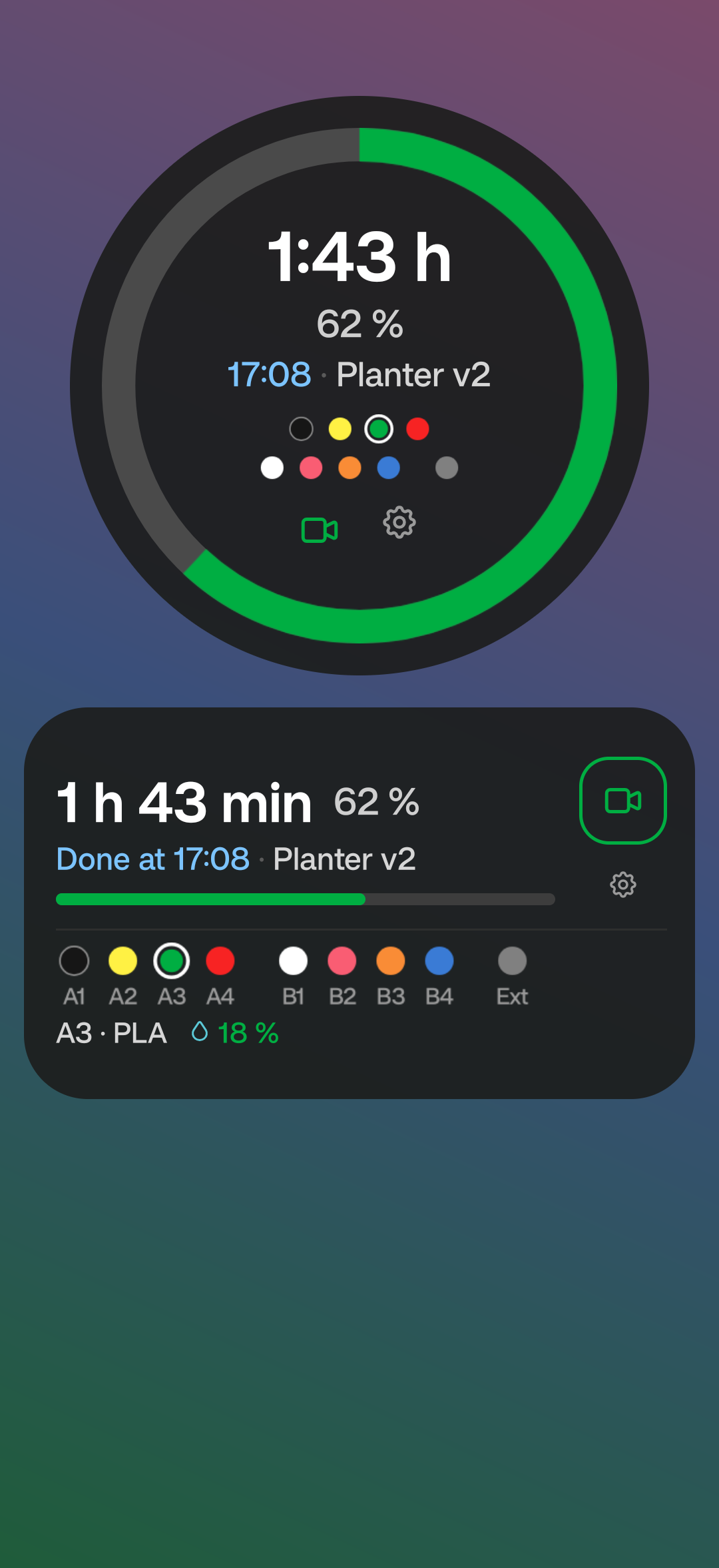
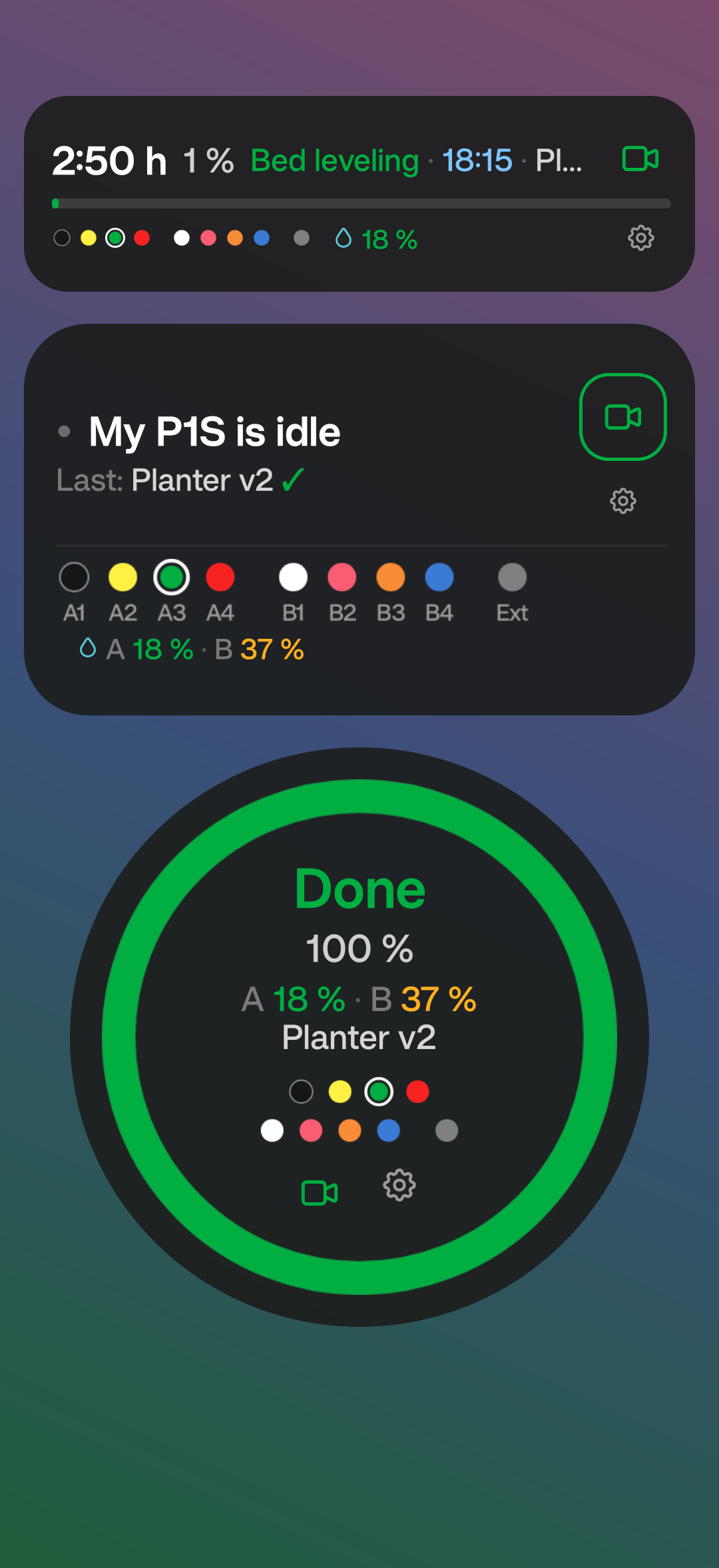
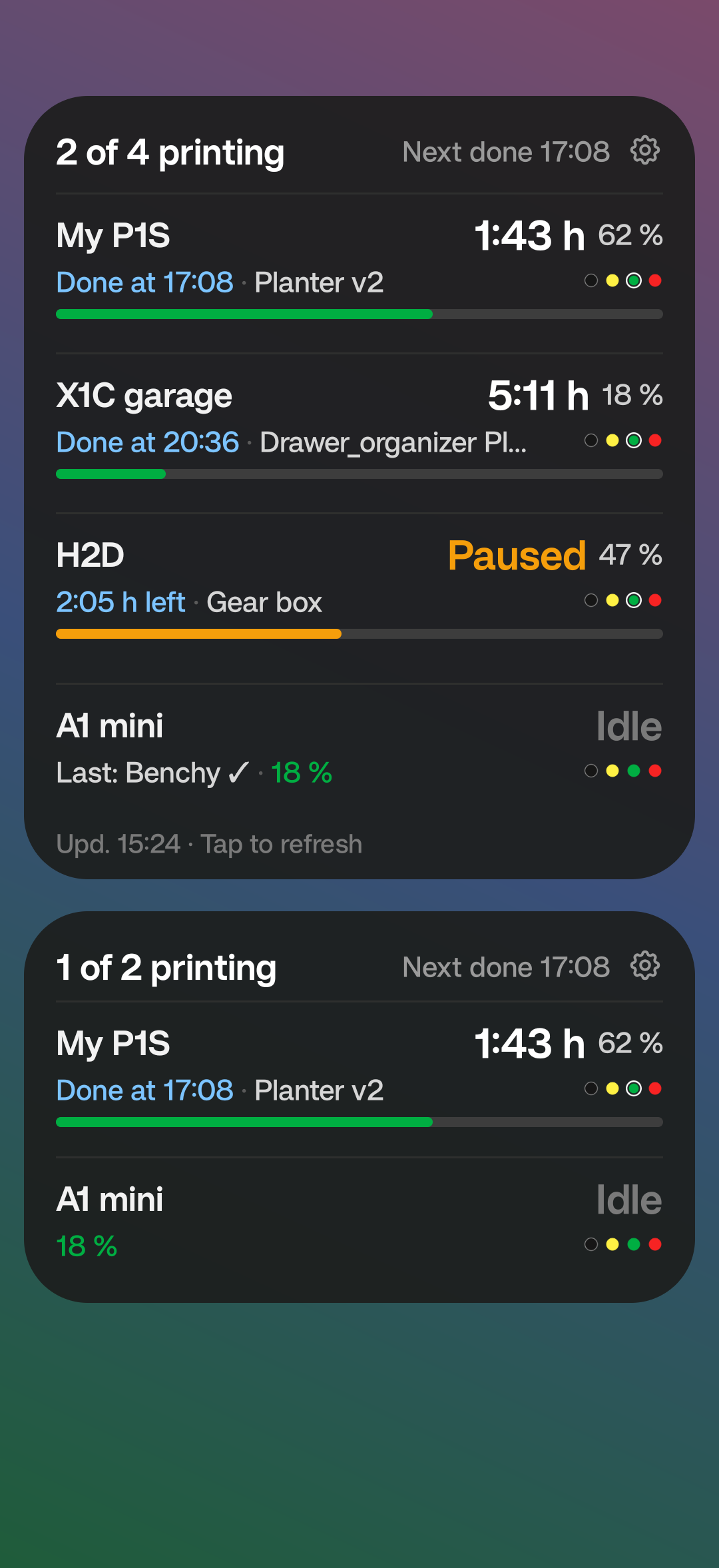
Big round widget with a progress ring, time left and filament dots, and a rectangle widget with labelled AMS slots and humidity Thin strip widget during bed leveling, an idle widget with the last print and AMS humidity, and a round widget after a finished print Multiple Printers widget: four printers with time left, finish time and progress, and a smaller version with two printers

Everything about the print, in one glance

Each widget shows only what you pick. Colours tell the details apart.

Progress

A ring or bar in Bambu green. It turns amber when paused and red when a print fails.

Time

Time left, counting down between refreshes, and the clock time when the print will be done.

Filaments

Every spool in your AMS units and on the external holder, labelled A1–A4, B1–B4. The one in use is marked.

Temperatures

Nozzle and bed temperature, plus the speed mode: Silent, Standard, Sport or Ludicrous.

AMS humidity

Know when your filament is getting damp, right next to the spool in use.

Idle

When nothing prints, it says so – and shows whether the last print finished or failed.

Three shapes, your way

A 3×2 rectangle that shows everything (widen it to 4×2 if you like), a big 3×3 circle and a thin 4×1 strip – sized so nothing gets cut off or leaves gaps. Set the background transparency from solid to fully see-through, and see every change in a live preview.

  1. Install Bambu Status Widget and open it.
  2. Sign in with your Bambu Lab account – the same one you use in Bambu Handy. Google or Apple sign-in works with an e-mail code.
  3. Pick a shape and what to show, then tap Place the widget. Done.

The widget follows your printer over the internet, like Bambu Handy. A direct connection over home Wi-Fi can be added as a backup. Tap the widget to refresh; tap the camera icon to open Bambu Handy.

About the developer

Hi, I'm Jan Legát, a maker from the Czech Republic. I build small tools for the things I use every day – and a 3D printer is one of them. Bambu Status Widget started because I wanted to see how my print was doing without unlocking my phone and opening an app.

It's a one-person project with no ads, no tracking and no server of my own: the app talks only to Bambu Lab and to your printer.

☕ Buy me a coffee 1 USD preset on PayPal – change it to any amount.

Ideas, bugs, or a printer it doesn't handle well? Write to me at legat.j@gmail.com.